The rules have changed too. Since the E-Commerce Act 2081 came into force in April 2025, "just start selling on Instagram" is no longer a safe plan. In August 2026, the Department of Commerce, Supplies and Consumer Protection issued a fresh notice reminding anyone selling goods or services online that registering their e-commerce platform is mandatory.
So launching a store in Nepal today means getting the business, the legal setup, the technology, and the customer experience right together. This guide walks through it in order, from the first idea to your first orders.
This guide is general information, not legal or tax advice. Confirm registration, tax, and compliance details with the relevant government offices or a qualified professional.
The 10 Steps at a Glance
- Validate your product and your customer
- Register your business and list your platform
- Choose how and where you'll sell
- Secure your domain, hosting, and brand basics
- Design a store that works for Nepali shoppers
- Set up payments
- Plan delivery and returns
- Build your product pages for search
- Test everything before you launch
- Launch, measure, and improve
Step 1: Validate Your Product and Your Customer
Most failed online stores don't fail because of technology. They fail because nobody wanted the product at that price, or the margin disappeared once delivery and returns were counted.
Before you spend on a website, answer these questions:
- Who exactly is the buyer?
"Everyone in Nepal" is not a customer. "Women in Kathmandu Valley aged 22–35 who buy skincare online" is.
- Why would they buy from you instead of a marketplace?
Price, range, quality, speed, service, or a brand story. You need at least one clear answer.
- What does a sale really earn?
Subtract the product cost, delivery, payment fees, packaging, returns, and marketing. Cash on delivery (COD) orders that are refused or never picked up are a real cost in Nepal, so include them in your numbers.
- What are competitors doing?
Browse Daraz and other stores in your category. Note prices, product photos, delivery promises, and reviews.
Nepal tip: start with a focused range. A store that sells 30 products well beats one that sells 3,000 poorly, and it is easier to photograph, describe, stock, and deliver.
Step 2: Register Your Business and List Your Platform
This is the step most new sellers skip, and the one that matters most now. Based on legal summaries of the E-Commerce Act, setting up a compliant online business in Nepal involves two connected tracks.
Track 1: Form the business
- Choose a legal structure (a private company or a firm, depending on your plans, owners, and investment) and register it. Companies register with the Office of the Company Registrar.
- Get your PAN from the Inland Revenue Department. VAT registration becomes mandatory once your turnover crosses the legal threshold, which is set in tax law and can change with each budget, so check the current figure with the Inland Revenue Department.
- Complete any local registration required by your ward or municipality.
- If foreign investors are involved, extra approvals may apply, so get advice before you file.

Track 2: List your e-commerce platform
- Under the E-Commerce Act 2081, online sellers must register their platform on the e-commerce portal run by the Department of Commerce, Supplies and Consumer Protection and obtain a listing number.
- This applies to sellers who operate through a website or app, and, according to the Department's public statements in 2025, to individual sellers on social media such as Facebook, Instagram, and TikTok as well.
- The listing asks for details such as your platform name, business registration number, office address, and the name of the registered business.
- Legal summaries of the Act say your website or app must then display key information: your business name and address, registration and PAN details, contact and customer-service details, a complaint contact, and your listing number.
Do this before you start selling.
A company certificate alone does not complete the listing, and the Act includes penalties for operating without it. No fixed processing time is published, so don't promise a launch date to customers or investors until your registrations are confirmed.
For a plain-language explanation of the law itself, read our breakdown of
Nepal's E-Commerce Bill 2081 and what it means for digital trade.
Step 3: Choose How and Where You'll Sell
You have three main routes, and many successful sellers use two of them together.
- A marketplace (such as Daraz): instant traffic and trust, but you pay commissions, compete directly on price, and don't own the customer relationship.
- Your own online store: higher margins, your own brand, and your own customer data, but you have to bring the traffic yourself.
- Social selling: a useful way to discover customers, but a weak place to run a store. Orders buried in messages don't scale, can't be searched on Google, and still need registration (see Step 2).
A practical approach for many new brands is to use a marketplace and social media for discovery, and your own store as the place customers come back to, because that's where you keep the margin and the relationship.
Choosing the platform for your own store
- Ready-made platforms and plugins
(WordPress with WooCommerce, Shopify, and similar) are the fastest way to launch a simple catalog. Check carefully that your choice supports NPR pricing, COD handling, and the Nepali payment gateways you want, since these usually need plugins or custom integration.
- A custom-built store
makes sense when you need specific features: complex pricing or bundles, delivery-zone logic, inventory across several locations, a custom checkout, or a store that looks and performs unlike every template competitor. It also gives you room to grow without rebuilding.
Choose based on where you'll be in two years, not just on the launch budget.
Step 4: Secure Your Domain, Hosting, and Brand Basics
These are small decisions that are painful to change later.
- Domain: choose a short, easy-to-spell name that matches your brand and is easy to say aloud. Check that the matching social media handles are free.
- Hosting: pick hosting with reliable uptime and fast response for visitors in Nepal. If you also sell to customers abroad, ask about a content delivery network (CDN).
- Security: make sure your site has an SSL certificate (the padlock). Shoppers will not enter payment details on a site that browsers mark as unsafe.
- Business email: use an address on your own domain, like orders@yourbrand.com, not a free webmail account.
- Brand basics: a clear logo, a small set of brand colors, and consistent product photography. You don't need a big brand book, but you do need to look consistent.
Step 5: Design a Store That Works for Nepali Shoppers
Most Nepali online shopping happens on a phone. Industry estimates put mobile at roughly 85–90% of marketplace traffic, so design for the phone first and check the desktop second.
What a Nepal-ready store needs
- Fast pages on mobile data. Compress images, avoid heavy sliders and auto-playing video, and test on a mid-range Android phone over a normal mobile connection, not your office Wi-Fi.
- A short checkout. Every extra form field costs you orders. Ask for name, phone number, delivery address, and payment method, and nothing you don't need.
- Clear prices in NPR, with delivery charges visible before the last step. Surprise costs are a top reason shoppers abandon a cart.
- Trust signals up front. Show your phone number, address, real delivery times, a clear return policy, and your registration details. In a market where many shoppers still worry about online scams, visible proof that you are a real, accountable business is a sales feature.
- Good product photos. Several clear images from different angles, real packaging shots, and a size or scale reference where it helps.
- Language that fits your customer. Many stores work well in English, and some benefit from Nepali product descriptions or a bilingual option. Choose based on who actually buys.
- Easy ways to ask a question. A visible WhatsApp or phone option answers doubts before they turn into abandoned carts.
Step 6: Set Up Payments
Payment is where many stores either win trust or lose the sale. The practical approach in Nepal is to offer a mix.
- Cash on delivery (COD): still the default for many Nepali shoppers, and often needed if you want volume. Keep it, but manage it (see below).
- Digital wallets and QR payments: eSewa, Khalti, IME Pay, and Fonepay QR are widely used and familiar to buyers.
- Direct bank payment: connectIPS, which runs on the NCHL network, lets customers pay directly from their bank account.
- Cards and wallets via bank gateways: several Nepali banks offer payment gateways for card payments, and one bank announced Apple Pay and Google Pay support for its merchants in October 2026. Availability and fees vary, so confirm the details with your bank.
Getting the most from your mix
- Make digital payment the easiest option at checkout and keep COD as a fallback instead of the default.
- Consider a small discount for prepaid orders.
- Verify COD orders by phone or message before dispatch, especially for higher-value items, to reduce refusals and non-pickup.
- Track your checkout mix (COD versus digital) every month. It's one of the biggest drivers of your real profit.
Each gateway has its own merchant sign-up and document requirements, so start the applications early. They can take longer than the website build.
Step 7: Plan Delivery and Returns
A great store with unreliable delivery loses repeat customers fast.
Delivery options
- Your own rider or staff for deliveries inside a small area, which gives you full control while you're small.
- Courier and logistics partners. Commonly used options include Pathao Parcel, Nepal Can Move, Upaya Logistics, and Dash Logistics, and Daraz Express now also serves sellers outside Daraz. Coverage, prices, and COD handling differ, so compare them and test one before committing.
- Starting small: many new sellers begin with a single delivery partner and a limited delivery area, then expand as they learn.
Questions to settle before launch
- Which areas do you deliver to, and what do you charge for each?
- How long does delivery take, and what will you honestly promise?
- How and when does the courier pass on the cash it collected for COD orders?
- What happens if a customer is unavailable, refuses the parcel, or receives the wrong item?
Your return and refund policy
Write it in plain language and display it on the site: what can be returned, within how many days, who pays for return shipping, and how refunds are made. A clear policy reduces disputes and also builds trust. Nepal's consumer protection rules apply to online sales, so check that your terms are consistent with them.
Step 8: Build Your Product Pages for Search
If shoppers can't find you, nothing else matters. Search engine optimization (SEO) is how your store earns free, ongoing traffic instead of paying for every visit.
- One page per product, with its own URL, a clear title that includes what the product is, and a unique description. Never paste the supplier's text, because identical copy across many stores gives search engines no reason to prefer yours.
- Category pages that match real searches, such as "women's winter jackets in Kathmandu" or "gifts for kids," each with a short, helpful introduction.
- Product details that answer buying questions: size, material, warranty, what's in the box, delivery time, and return terms.
- Descriptive image names and alt text so your products can appear in image search and be understood by screen readers.
- Accurate structured data for products (price in NPR, availability), which helps search engines understand your pages. Keep it matching what's visible on the page, and treat it as a way to describe your content accurately, not as a shortcut.
- Google Search Console and Analytics from day one, so you can see what people search for, which pages they visit, and where they leave.
- A Google Business Profile if you have a physical shop, showroom, or pickup point.
- A helpful blog or guides section, for example "how to choose the right size," which brings in shoppers who are still researching.
SEO takes time to build, and the sooner your pages are properly structured, the sooner they start earning. Our SEO and content writing service covers exactly this.
Step 9: Test Everything Before You Launch
Run a real test, not a quick click-through.
- Place test orders on a phone, on mobile data, with every payment method you offer, including COD.
- Check the whole journey: add to cart, change quantities, apply a coupon, pay, receive the confirmation email or message, and see the order in your admin panel.
- Test failure cases: a payment that fails halfway, an out-of-stock item, a wrong address, and a cancelled order.
- Check your legal pages and disclosures: your listing number, business and registration details, contact and complaint details, delivery policy, return policy, and terms and conditions.
- Review the speed and layout on at least two different phones.
- Make sure your team knows the process: who packs, who dispatches, who answers messages, and who handles refunds.
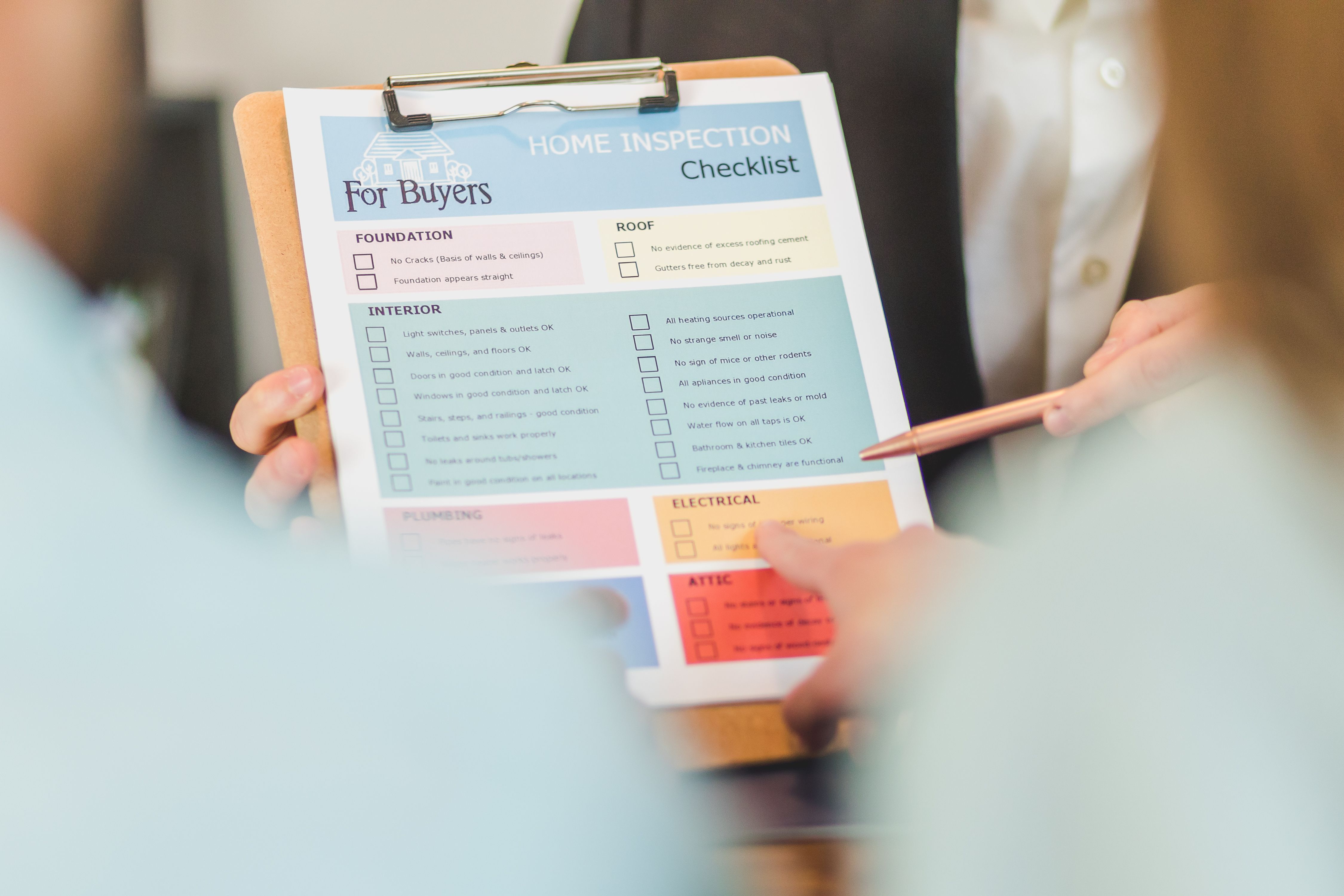
Pre-launch checklist
- Business registered, PAN obtained, and platform listing completed
- Required business and listing details displayed on the site
- Domain, SSL, and business email working
- Products photographed, described, and priced in NPR
- Payment methods tested end to end
- Delivery partner tested, with delivery areas and charges published
- Return, refund, privacy, and terms pages written and linked
- Analytics and Search Console installed
- Order notification and confirmation messages working
- Team trained on packing, dispatch, and support
Step 10: Launch, Measure, and Improve
A launch isn't a finish line. It's the start of learning what your customers actually do.
- Start with a soft launch. Invite friends, family, and early customers first, and fix what they find before you spend on advertising.
- Collect reviews and photos early. Social proof is one of your strongest sales tools, so ask every happy customer.
- Use social media for discovery, and send people to your store to buy, so the sale, the data, and the relationship stay with you.
- Bring customers back: order updates, restock alerts, and occasional offers through email, SMS, or WhatsApp.
- Watch a few numbers every week: visitors, conversion rate, average order value, share of COD versus prepaid orders, return and non-pickup rate, and where shoppers drop out of checkout.
Every month, pick the single biggest problem in those numbers and fix it. Small, steady improvements are how stores grow.
Mistakes That Cost New Stores the Most
Most launch problems fall into five groups: selling only through messages, spending on ads with no SEO, a checkout that doesn't work well on phones, relying entirely on COD, and ignoring the legal requirements. We covered each in detail in 5 common mistakes Nepali ecommerce businesses make online, and it makes a good companion to this guide.
Built for Nepali Online Stores
Rewa Soft has spent over 12 years building custom web platforms in Nepal, including online stores such as Kids Pasal (a kids' store), Everest Hard Wear (an e-commerce platform for mountain gear), and Beauty Scents (an e-commerce platform for exclusive perfumes). We know what Nepali shoppers expect from a store, and what the checkout, payment, and delivery details need to look like to earn their trust.
If you'd like help with the build, our custom web development service is where to start, and you can see more of our recent projects.
Frequently Asked Questions
1) How do I start an ecommerce business in Nepal?
Validate your product and customer, register your business and list your platform with the Department of Commerce, choose a platform and domain, design a mobile-first store, set up payments and delivery, optimize your product pages for search, test thoroughly, then launch and improve based on real data.
2) Do I need to register to sell online in Nepal?
Yes. Under the E-Commerce Act 2081, online sellers must register their e-commerce platform on the Department of Commerce, Supplies and Consumer Protection portal, in addition to normal business and tax registration. The Department has said this includes sellers who use social media. Confirm the current requirements with the Department or a qualified professional before you start trading.
3) Which payment methods should a Nepali online store offer?
Most stores offer a mix: cash on delivery, eSewa, Khalti, Fonepay QR, IME Pay, connectIPS, and card payments through a bank gateway. Offering digital options alongside COD, and making digital the easiest choice, tends to improve both trust and profit.
4) Should I sell on Daraz or build my own store?
Many sellers do both. A marketplace gives you traffic and trust quickly, while your own store gives you better margins, your own brand, and your own customer data. Using the marketplace for reach and your own store for loyalty is a common approach.
5) How much does it cost to launch an ecommerce store in Nepal?
It depends on what you build and sell. The main costs are business registration and compliance, the website or platform, domain and hosting, product photography, initial inventory, payment gateway setup, delivery, and marketing. A free consultation is the fastest way to get an estimate for your specific store.
6) Which delivery partners can I use for my online store?
Commonly used options include Pathao Parcel, Nepal Can Move, Upaya Logistics, Dash Logistics, and Daraz Express. Compare coverage, prices, delivery times, and how COD cash is collected and paid out, and test one partner before committing.
Ready to launch your store the right way?
Chat with our team on WhatsApp or reach out at sales@rewasoft.com.np for a free consultation on your e-commerce project.
Team Rewa Soft